Connecting External Tools
🐘 Connecting to PostgreSQL using pgAdmin 4
pgAdmin is a visual database management tool for PostgreSQL, the database engine used by the MIRROR platform.
We use pgAdmin to:
- 🔍 Visually inspect the ingested data
- 🧩 Explore tables created by the ingestion scripts
- 🛠️ Run manual SQL queries if needed
- 📦 Confirm that layers (like
projects,buildings, orglossary) are successfully stored
This guide explains how to connect to the local PostgreSQL container used by the MIRROR platform using pgAdmin 4.
✅ 1. Install pgAdmin 4
If you haven't already, download and install pgAdmin 4:
👉 https://www.pgadmin.org/download/
🔗 2. Register a New Server
Once pgAdmin is installed:
- Open pgAdmin 4
- Right-click on “Servers” in the left sidebar
- Click Register > Server
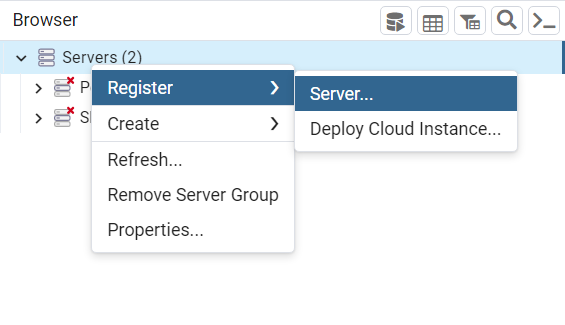
🖼️ Register Server — General Tab
- Enter any Name (e.g.,
MirrorDB) - Go to the Connection tab
🔌 Register Server — Connection Tab
- Host name/address:
localhost
Iflocalhostdoesn't work, try127.0.0.1 - Port:
5432 - Username: (check your
.envor credentials folder, usuallycitymap) - Password: (check credentials folder or ask admin)
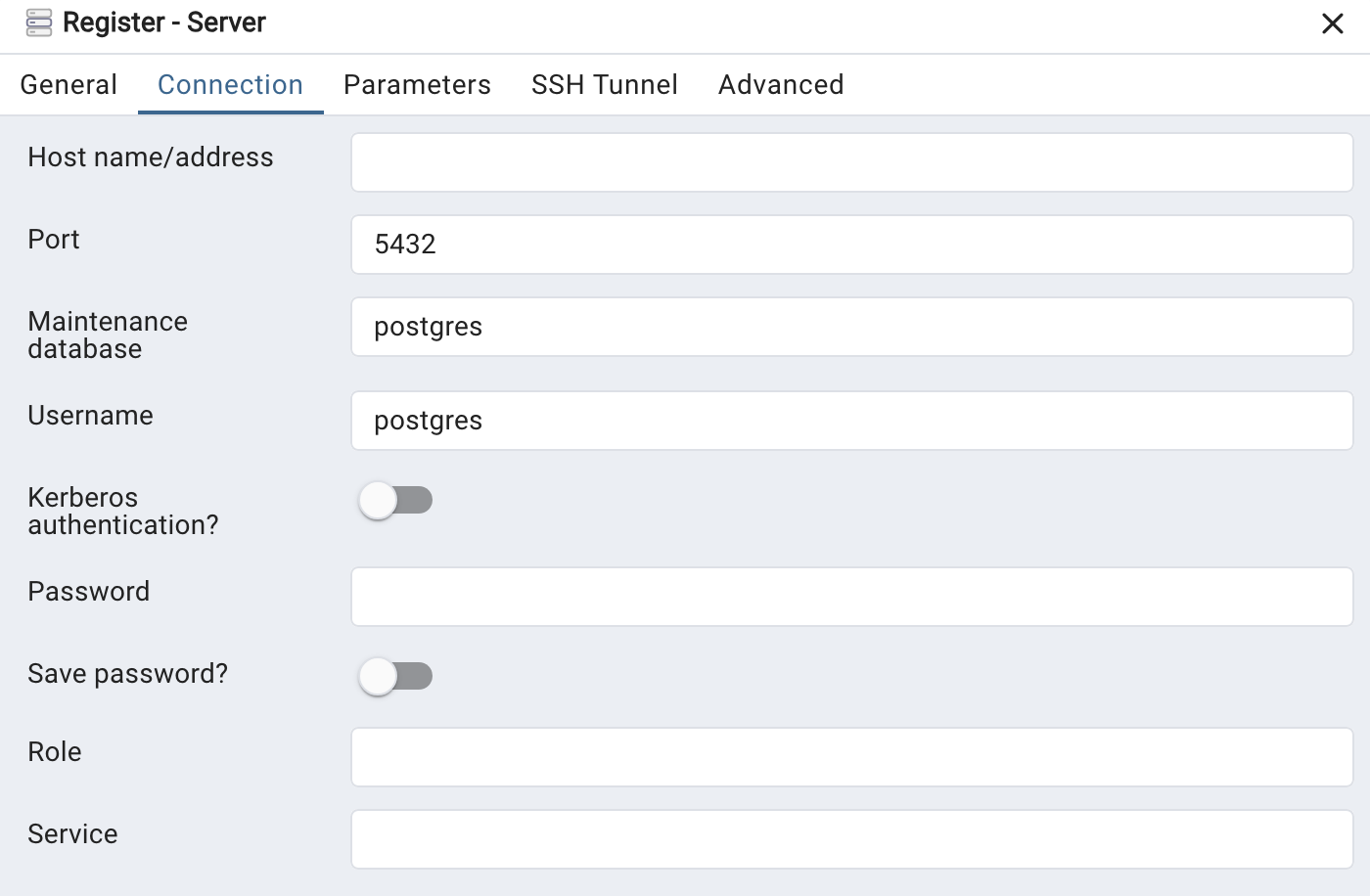
✅ Be sure to click “Save Password”
🔐 Credentials Info
Database connection credentials are typically located in: